Enable Operational Data Hub
Now that you've planned your data platform strategy, it's time to set up your Operational Data Hub (ODH) in Tapdata. This guide will walk you through setting up the core storage engine and activating ODH mode in Tapdata.
Preparation
To enable the Operational Data Hub (ODH) in Tapdata, you’ll first need to connect a MongoDB database (version 4.0 or above) as the core storage engine.
This MongoDB instance will serve two critical roles:
- Platform Cache (FDM Layer): Stores real-time mirrored data from source systems.
- Processing Layer (MDM Layer): Hosts cleaned, structured business data for analytics and API access.
When creating the MongoDB connection, be sure to set the connection role as both Source and Target, so it can support full read/write capabilities across Tapdata’s layers. For step-by-step setup, refer to Connect On-Premises MongoDB.
Recommended best practices
- You can use one shared database for both FDM and MDM layers, or create dedicated databases for better isolation and scalability.
- Deploy MongoDB as a replica set to ensure high availability and fault tolerance.
- Ensure the MongoDB instance has enough disk space Oplog retention to support stable real-time synchronization and CDC.
Need help sizing your MongoDB Oplog? Check out our MongoDB Oplog Sizing Guide for detailed calculations and best practices.
Enable ODH in Tapdata
Once your MongoDB database is ready and connected, follow these steps to enable the Operational Data Hub mode in Tapdata:
-
Log in to TapData Platform.
-
Click Realtime Data Center in the left sidebar.
-
On the right side of the screen, click the
 icon.
icon. -
Choose the Data Service Platform mode.
-
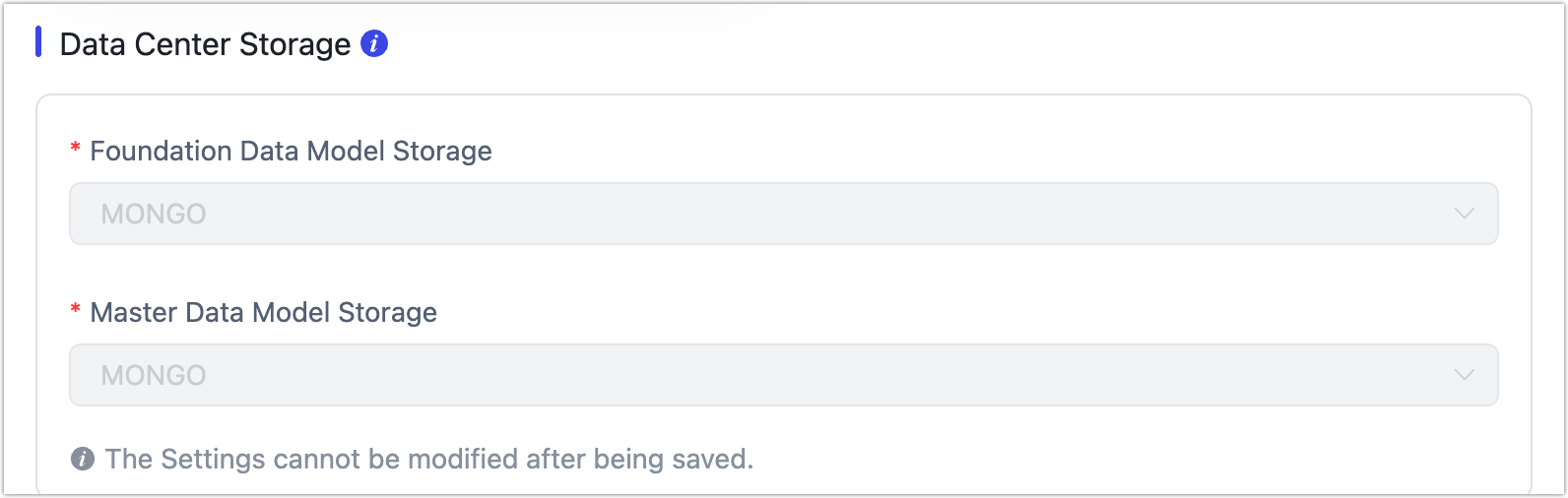
Specify the MongoDB data source(s) you prepared for the FDM and MDM layers.
 tip
tipOnce saved, the selected storage engine can’t be changed later. Review your choice carefully before confirming.
-
Click Save to apply the configuration.
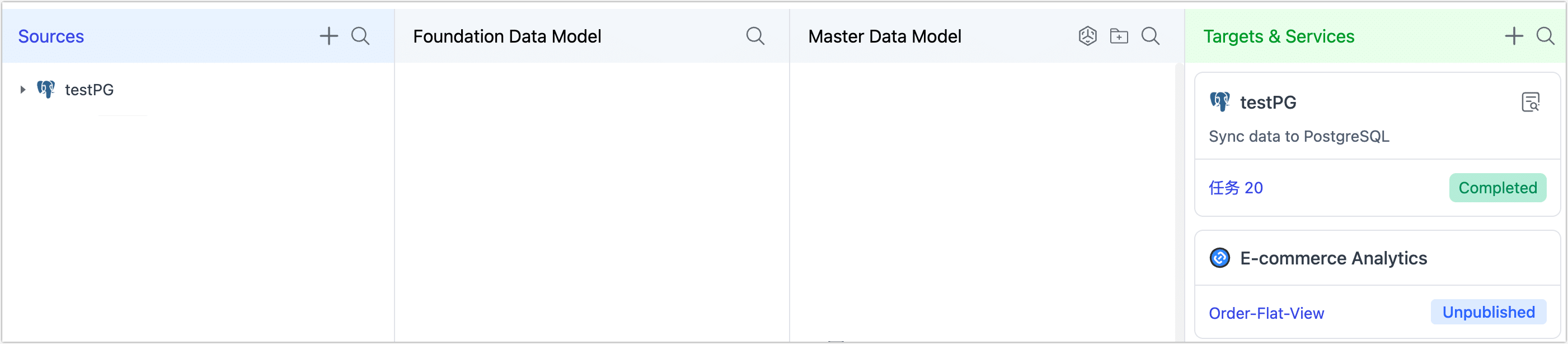
After you complete this setup, Tapdata will automatically present the ODH layered view you saw in the planning section.
Next Step
You’re now ready to start syncing your source data into the FDM layer, enabling real-time, consistent data delivery across your business systems.