Define Data Categories
Data categories help teams organize and standardize business entities within the Master Data Model (MDM). By defining categories, you can clearly structure key data like user profiles, order details, payment transactions, and risk scoring models.
Why Define Data Categories?
Defining categories for your data brings several key benefits:
- Clear business context: Everyone knows what each table is for.
- Simpler collaboration: New team members can get up to speed faster.
- Better governance and access control: Easily assign ownership and usage boundaries.
- Standardization: Supports consistent naming, documentation, and data lineage tracking.
Procedure
In an e-commerce scenario, you might organize your Master Data Model around core business domains. For example, you could create categories (folders) like Orders, Customers, Marketing, and Payments to mirror your business architecture and make collaboration more intuitive.
-
Log in to TapData platform.
-
In the Master Data Model section, click the New Category icon.
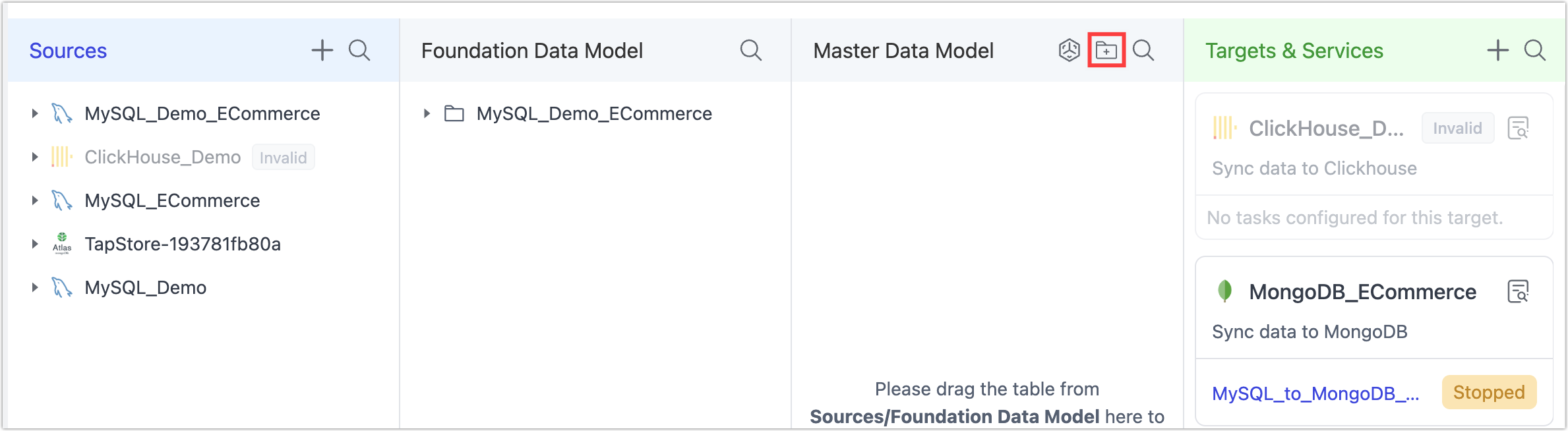
-
In the dialog that appears, fill in the Directory Name and Catalog Description fields.
- Directory Name is your category’s business-facing name—for example, you might use Marketing to group all tables supporting marketing campaigns.
- Catalog Description explains its purpose—for example, “Data supporting marketing analysis and campaign optimization.”
-
Click OK to create the new category.